
Should your business recycle old computers, or reuse them?
Reuse first, recycle last. Put the computers that still work back to work, and recycle the ones that can’t be saved. Recycling beats a landfill; a working computer beats both. Regadget runs it in that order: test, refurbish and resell what works, then recycle the rest.
Want someone to set up reuse for you? That’s what our ITAD does.
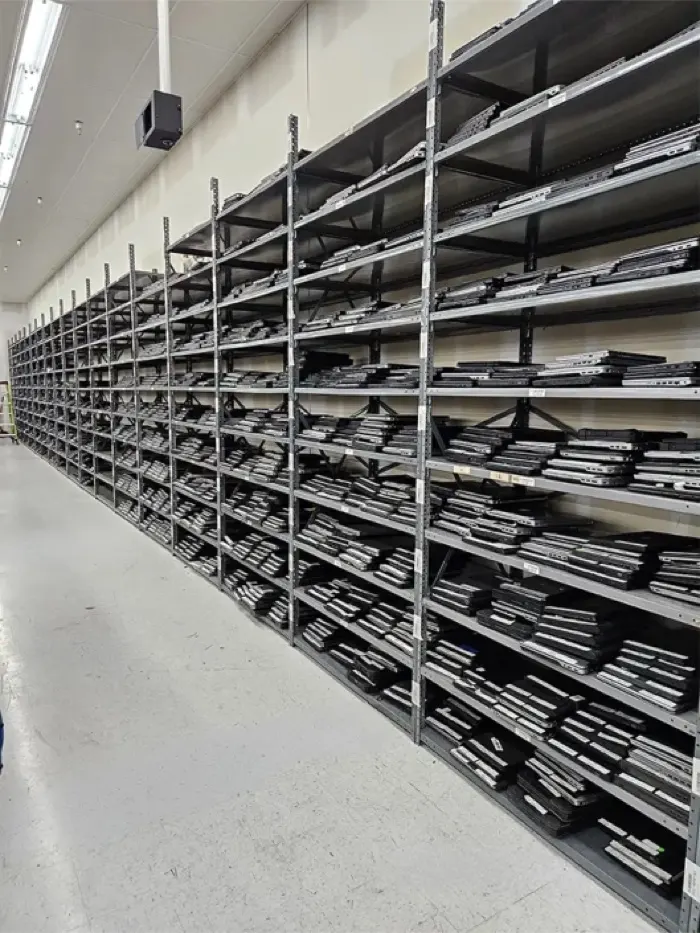
Why do so many businesses recycle old computers first?
Because it’s the obvious next step, and it feels responsible. A refresh lands, the old machines pile up in a storeroom, and recycling is better than the trash. That instinct is right.
But the machines coming off a refresh usually aren’t broken; they’re just no longer new. The only question is whether recycling should be the first stop for the ones that still work.
What’s the difference between computer recycling and reuse?
Recycling breaks a computer down so its materials can be recovered. Reuse, through refurbishment, keeps the whole computer working for its next user. One ends the machine’s life as a computer; the other extends it.
| Question | Recycling | Reuse (refurbishment) |
|---|---|---|
| What happens to the computer | Broken down so its materials can be recovered | Inspected, cleaned, repaired where needed, tested and put back to work |
| Its life as a computer | Ends | Extended, for its next user |
| The materials | Metals such as gold, copper and aluminum, and plastics, are reclaimed | Stay in use, inside a working machine |
| Who it helps next | Whoever buys the recovered materials | A student, a new hire or a nonprofit’s client who needs a computer |
| Where the EPA ranks it | Below reuse | Above recycling |
That order isn’t just ours. The U.S. EPA’s waste management hierarchy ranks reuse above recycling. Recycling still matters: reclaiming those metals reduces the need for mining.
What does reuse first look like?
Three steps, in this order:
Test and grade
Technicians inspect and clean each machine and test it, to find out which ones still work, and how well.
Refurbish and resell what works
It’s repaired, configured and tested again, then sold to its next user: a school, a nonprofit partner, a business or a household.
Recycle the rest
The last step, not the first. The metals and plastics are recovered.
35,000+
refurbished devices Regadget delivered to nonprofit partners in 2025. That’s reuse first, at scale.
Every device reused means fewer electronics in landfills and more opportunities for those in need.
When is recycling the right call?
When a machine can’t be saved. That means it’s broken beyond repair, badly damaged, or too old to be useful to its next owner. Testing makes that call one machine at a time, so working computers aren’t recycled by default and broken ones aren’t pushed back into use.
Data works the same way. A damaged drive is crushed or shredded instead of wiped, and the rest of the machine can still be refurbished or recycled.
What should you ask any vendor about where the machines go?
Ask where the machines go. It’s a fair question for any vendor, recycler or refurbisher, and the answers should be plain:
- What happens to the computers that still work?
- What happens to the data before anything is reused or recycled?
- Where does the material that can’t be saved go?
- What paperwork do we get back?
Regadget’s answers: what still works is refurbished first, every drive is wiped, and what can’t be saved goes to U.S.-based recyclers. You get a signed bill of lading at pickup and a summary report of the devices processed and what happened to them.
Is reuse first right for your organization?
It fits businesses, schools and nonprofits retiring any end-of-life technology: laptops, Chromebooks, desktops, Macs, iPads, monitors, servers, and networking and telecom gear. It fits especially well when:
- a refresh is landing, or one is coming;
- a lease is ending;
- you’re moving, closing or handing back an office;
- old equipment has piled up in a closet or storeroom;
- you’d like the machines to do some good after they leave.
A five-year-old laptop that still has years in it can end up with a kid who needs it, or in a shredder. Getting the devices ready is the same either way. Before pickup: the checklist
Recycling, reuse and cost: common questions
Does Regadget recycle computers?
Yes, as the last step, never the first. Regadget tests and grades every computer, refurbishes what still works and sells it on to its next user. Only the machines that can’t be saved are recycled. That order is the whole idea of reuse first: recycling beats a landfill, and a working computer beats both.
Is our data safe if a computer is reused?
Yes. Regadget destroys the data before a computer is refurbished or recycled, and a Certificate of Destruction for Windows and Apple devices is available on request, following NIST SP 800-88. Reuse doesn’t mean your data goes along: the machine moves on to its next user with a clean drive.
Is anything free when we retire computers with Regadget?
Yes: the pickup. Regadget can offer free pickup because we recover value by giving devices a second life through refurbishment. Standard ITAD carries no charge. Send a count of what you’re retiring and we’ll reply with a quote.
Playbook: why smart companies don’t just recycle More guides
Ready to put reuse first?
Tell us what you’re retiring, and we’ll schedule the pickup. A count is plenty.
Rather talk it through first?
Regadget 4999 Houston Rd Ste 500-1 Florence, KY 41042With every bulk order
- Business bulk orders are always Grade A or B.
- Limited warranty on refurbished devices.
Shopping for yourself? Online store